 moosik
Make a listening recap for any week, month, or trip
Pick your own dates, find your top songs and biggest listening day, and save a recap you can edit.
Want to know what you played over a long weekend? Moosik can make a recap as soon as you get home. It uses the music you played in this installation, so choose a period when you were actually listening here. Songs played on your phone won’t appear in the recap.
Pick the dates you care about
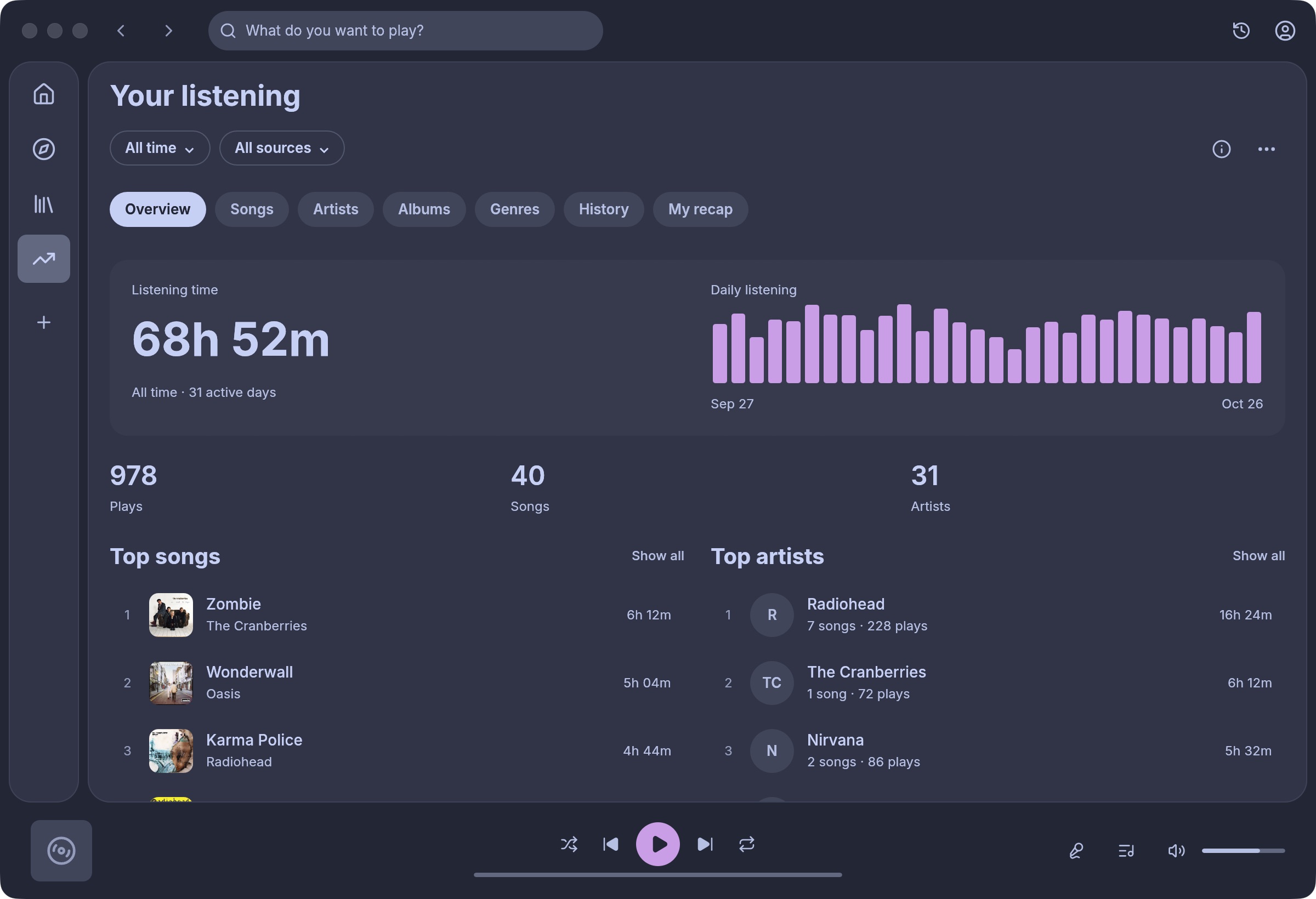
- Open Listening stats in the sidebar and choose Custom dates from the period menu.
- Enter the first and last day in YYYY-MM-DD format. A Friday-to-Monday trip includes both Friday and Monday. Leave All sources selected to include any local files you played along with YouTube Music.
- Choose My recap. Look for your top song, top artist, and biggest listening day. Under Your milestones, a new song means the first time Moosik heard you play it, even if you’ve owned the album for years.
Keep a copy
Choose Export recap to save an editable Markdown file. You can add the trip dates and a note about why one song kept coming back, then share just that document. For a spreadsheet or database backup, choose a different export format. For a calendar month that has already ended, set the dates explicitly. Last 30 days moves forward each day and can include part of the following month.